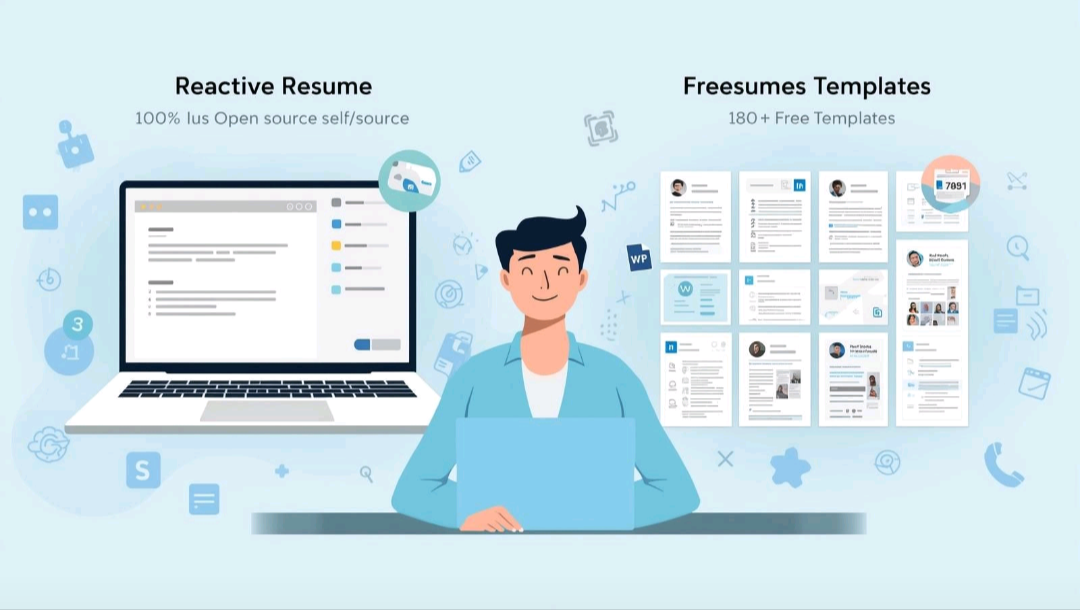
How to Create a Standout Resume with Reactive Resume: Your Step-by-Step Guide
In today's competitive job market, your resume is often the first impression you make. But creating a professional, eye-catching document can be a frustrating and time-consuming process, especially with traditional resume builders that often come with hidden costs or clunky interfaces. What if there was a better way? Enter open-source resume builders – powerful, flexible, and often free tools that put you in control.
This guide will walk you through using one popular open-source solution, Reactive Resume, to craft a resume that gets noticed. You don't need to be a tech wizard; just follow along!
Need a custom digital solution? Let's discuss your project.
Get a free consultation and quote today.
The Goal: Crafting Your Perfect Resume, Effortlessly
Our objective is simple: to create a polished, professional resume using an intuitive open-source platform, bypassing the limitations and costs associated with many commercial alternatives. Reactive Resume stands out for its user-friendly interface, robust customization options, and the ability to export your resume in various formats, making it ideal for job seekers, from college students to seasoned professionals.
Prerequisites: What You'll Need
Before you dive in, gather a few essentials:
- Internet Access and a Web Browser: Reactive Resume is a web-based application, so a stable internet connection and your preferred browser (Chrome, Firefox, Edge, Safari) are all you need.
- Your Resume Content: Have all your information ready: contact details, work experience (job titles, dates, responsibilities, achievements), education (degrees, institutions, dates), skills, projects, and any other relevant sections. Organizing this beforehand will make the process much smoother.
- Basic Computer Skills: If you can navigate a website and fill out forms, you're all set!
Getting Started: Accessing Reactive Resume
Let's begin by accessing the platform:
- Open Your Browser: Launch your preferred web browser.
- Navigate to Reactive Resume: In the address bar, type rxresu.me and press Enter. You'll land on the Reactive Resume homepage.
- Choose Your Path: You have a couple of options:
- "Create New Resume": For a quick start without an account. Your data will be stored locally in your browser, but it's recommended to create an account for persistent storage and easy access from any device.
- "Sign In / Sign Up": Click this if you want to create a free account. This allows you to save your resumes securely in the cloud, access them from anywhere, and manage multiple versions. We highly recommend this for long-term use. Follow the prompts to sign up with your email or a social account.
- Start a New Resume: Once logged in or after clicking "Create New Resume," you'll be presented with a blank canvas or an option to import an existing JSON Resume file (if you have one). For most users, starting fresh is the way to go.
Building Your Resume: Inputting Data and Customizing
Now for the exciting part – populating your resume:
- Navigate the Sections: On the left sidebar, you'll see various resume sections like "Contact," "Summary," "Experience," "Education," "Skills," "Projects," etc. Click on each section to expand it.
- Input Your Information: For each section, you'll find clear fields to fill in. For example, under "Experience," you'll add your job title, company name, dates, location, and a description of your responsibilities and achievements. Use bullet points for readability and impact.
- Add New Entries: Most sections have an "Add Item" or "+ Add New" button to include multiple experiences, educational degrees, or projects.
- Drag-and-Drop Reordering: Reactive Resume allows you to easily reorder entries within a section (e.g., your work experiences) or even reorder the sections themselves by dragging and dropping them on the left sidebar.
- Choose a Template: On the right sidebar, you'll find a "Templates" section. Browse through the available professional templates. Click on a template to instantly see how your entered data looks with that design. Experiment to find one that best suits your style and industry.
- Customize Appearance: Below the templates, you'll often find options to customize colors, fonts, and layout settings. Tweak these to personalize your resume further, ensuring it aligns with your personal brand.
Reviewing and Refining: Polishing Your Masterpiece
A perfect resume is a reviewed resume. Don't skip this critical step:
- Proofread Meticulously: Read through your entire resume multiple times. Check for typos, grammatical errors, and awkward phrasing. A fresh pair of eyes (a friend or mentor) can also catch mistakes you might have missed.
- Check Formatting and Consistency: Ensure dates are consistent, bullet points align, and there are no strange breaks or misalignments. The chosen template should handle most of this, but a quick visual check is always wise.
- Export and Preview: Reactive Resume allows you to export your resume in PDF format. Download a PDF copy and open it to see exactly how it will appear to recruiters. This is the final check before sharing.
- Consider Different Versions: If you're applying for different types of roles, you might want slightly tailored resumes. Reactive Resume allows you to duplicate your resume and make minor adjustments for specific job applications.
Advanced Tips: Maximizing Your Open-Source Resume
To truly make the most of Reactive Resume and similar open-source tools:
- Utilize JSON Export/Import: Reactive Resume allows you to export your resume data as a JSON file. This is incredibly powerful for version control – you can save different versions of your resume on your computer and import them later. It also means your data is portable and not locked into one platform.
- ATS Optimization: While open-source builders create visually appealing resumes, remember that many companies use Applicant Tracking Systems (ATS). Stick to standard fonts, clear headings, and use keywords from job descriptions to ensure your resume passes through these automated filters.
- Custom Themes (for the tech-savvy): If you're comfortable with a bit of coding, Reactive Resume is open-source, meaning you can potentially customize its themes even further or contribute to its development. For most, the built-in themes are more than sufficient.
- Shareable Links: Reactive Resume often provides a public link to your resume (if you choose to enable it). This can be a convenient way to share your resume online with recruiters or during networking.
Conclusion: Your Next Step Towards Career Success
Open-source resume builders like Reactive Resume empower you to take control of your professional narrative. By following these steps, you can create a compelling, error-free resume that stands out from the crowd, all without the hassle and cost of proprietary software.
Ready to give it a try? Head over to rxresu.me and start building your future today! Or, if you'd prefer a professionally crafted resume that perfectly highlights your skills and experience, our team of experts is ready to help. Contact us today to discuss your career goals!